
Upgrading your climate control system should feel exciting, not terrifying, but every year countless homeowners fry their brand-new equipment because they rush the installation. Understanding the smart thermostat wiring secrets that professional electricians rely on is the single most important step between a smooth upgrade and a smoking control board. This guide walks you through every wire, every label, and every safety check so your new device powers on perfectly the first time.
Whether you are installing a sleek new display in your living room or upgrading the whole house ahead of a big renovation, getting the wiring right protects your investment. We will also cover how a tidy mechanical closet contributes to overall curb appeal, which matters if you are ever preparing your property for a future sale.
Why Smart Thermostat Wiring Secrets Matter More Than You Think
Most homeowners assume thermostat wiring is as simple as matching colors to letters. In reality, legacy HVAC systems often use nonstandard wiring conventions left behind by previous contractors.
This is exactly where the smart thermostat wiring secrets come into play. A red wire might not always be power, and a wire labeled “common” might not be connected at all in older furnaces.
Connecting the wrong terminals can send unregulated voltage straight into delicate circuit boards. The result is often a fried transformer, a dead furnace control board, or a smart thermostat that never powers on again.
The High Cost of Guesswork
Replacing a fried control board can cost anywhere from $150 to $600 depending on your furnace model. Taking twenty extra minutes to verify your wiring is far cheaper than an emergency HVAC technician visit.
Decoding HVAC Thermostat Wiring Before You Touch a Single Terminal
Before removing your old thermostat, take a clear photograph of the existing wiring. This single habit solves more installation headaches than any other tip in this guide.
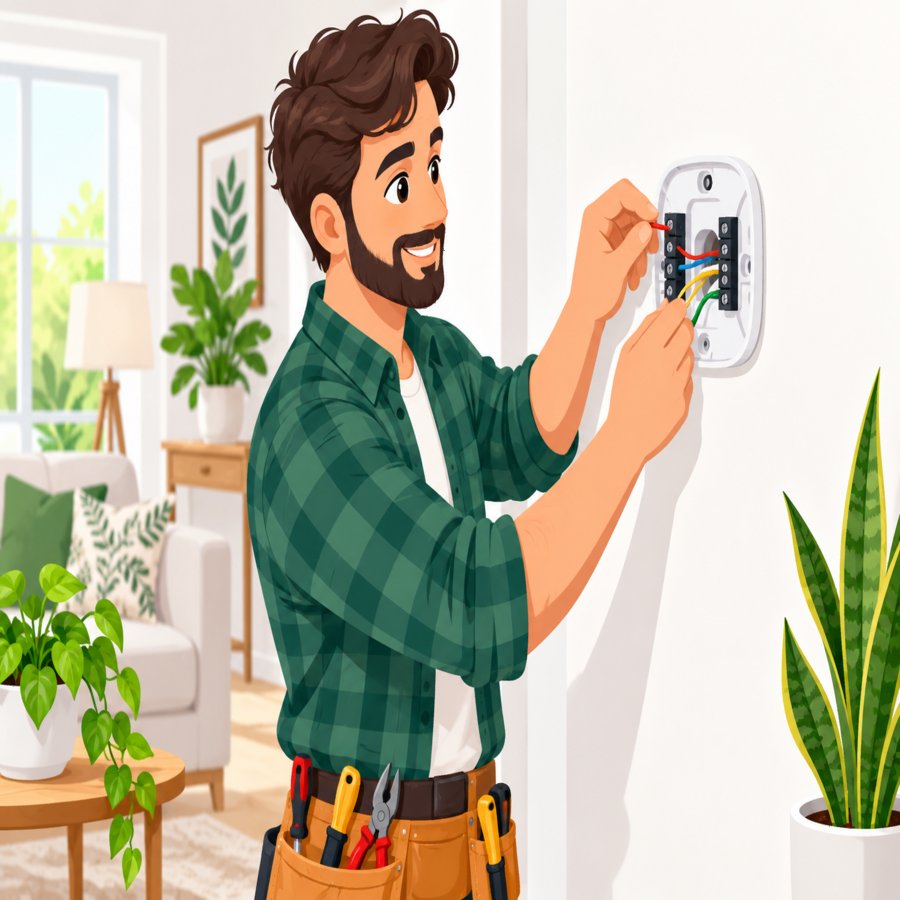
Proper hvac thermostat wiring follows a general color standard, though manufacturers do not always comply strictly. Here is what each wire typically controls in a conventional forced-air system.
Standard Wire Color Functions
Red (R) typically carries 24-volt power from the transformer. White (W) activates the heating system, while Yellow (Y) controls the air conditioning compressor.
Green (G) controls the blower fan, and Blue or Black (C) serves as the common wire that completes the 24-volt circuit. This common wire is the most frequently missing component in older homes.
Never assume your system matches this chart exactly. Always cross-reference your furnace’s control board labels, since some manufacturers swap terminal positions entirely.
The C-Wire Adapter Install: Solving the Missing Common Wire Problem
The number one cause of fried control boards among smart thermostat upgrades is a missing common wire. Smart thermostats draw continuous power to run their displays, Wi-Fi radios, and touchscreens, unlike older mechanical dial thermostats.
Without a dedicated common wire, many smart thermostats resort to “power stealing,” pulling tiny amounts of current through the heating or cooling wire. This workaround can cause flickering lights, false relay clicks, or intermittent HVAC cycling.
A proper c-wire adapter install eliminates this risk entirely by tapping into your furnace’s transformer to create a dedicated 24-volt common circuit. This is one of the most valuable smart thermostat wiring secrets professional installers rarely explain upfront.
Installing the Adapter Safely
Turn off power at the breaker before opening your furnace cabinet. Locate the transformer, then connect the adapter’s designated wires to the matching transformer terminals following the manufacturer’s included diagram.
Route the new common wire alongside your existing thermostat cable back to the wall plate. Label it clearly with removable tape so you never confuse it with another conductor during future maintenance.
If your thermostat cable only has four conductors and all are already in use, you may need to run an entirely new 18-gauge thermostat wire rather than relying solely on the adapter. This small investment prevents long-term reliability issues.
Step-by-Step Installation Without Frying Your Control Board
Now that your wiring is understood and labeled, it is time for the physical installation. Patience here is far more valuable than speed.
Step One: Cut All Power
Flip the breaker controlling your furnace and air handler, not just the thermostat switch. Many control boards fry because installers assume the low-voltage circuit is isolated when it is not.
Step Two: Remove the Old Thermostat Carefully
Gently pull wires free one at a time, labeling each with the included stickers immediately. A dropped, unlabeled wire sliding back into the wall cavity is a common and frustrating mistake.
Step Three: Mount the New Baseplate
Feed the wires through the baseplate before anchoring it to the wall. Use a level to ensure it sits straight, since a crooked thermostat is one of the fastest ways to make a freshly updated room look unfinished.
Step Four: Connect Wires to Correct Terminals
Match each labeled wire to its corresponding terminal using your photo for reference. Insert each wire fully and tighten the screw terminal securely, as a loose connection can arc and damage the board over time.
Step Five: Restore Power and Test
Turn the breaker back on and observe the thermostat screen. If it powers up without flickering or error codes, your wiring was successful and your control board is safe.
Nest Ecobee Setup Differences Every Homeowner Should Know
Not every smart thermostat brand handles wiring identically, and understanding these differences prevents confusion during your nest ecobee setup process.
Google Nest models include a built-in rechargeable battery that can operate briefly without a dedicated C-wire, though Google strongly recommends installing one for long-term reliability. Nest’s companion app also includes a compatibility checker that scans your existing wiring configuration before purchase.
Ecobee thermostats, on the other hand, ship with a dedicated “Power Extender Kit” in the box specifically designed to solve common wire shortages. This kit connects directly at your furnace control board rather than the thermostat itself.
Matching the Right Brand to Your System
Heat pump owners should pay close attention during setup, since heat pump systems use additional terminals like O and B for reversing valves. Entering the wrong system type during app configuration is a frequent cause of erratic heating and cooling behavior after installation.
Both brands’ mobile apps will walk you through terminal identification step by step, but they cannot detect physical wiring mistakes. The responsibility for accurate connections always falls back on correctly applying smart thermostat wiring secrets during the manual installation phase.
Common Mistakes That Fry Control Boards
Understanding what goes wrong is just as important as knowing what goes right. These are the most frequent, costly errors homeowners make.
Letting Bare Wires Touch
Two exposed copper strands brushing against each other inside the wall cavity can short the transformer instantly. Always strip wires minimally and tuck excess length neatly behind the baseplate.
Skipping the Breaker Shutdown
Working on a live 24-volt circuit might seem harmless, but a stray screwdriver touch can send a damaging surge straight into the furnace board. Always disconnect power completely.
Forcing Incompatible Systems
High-voltage line systems, such as electric baseboard heating, use a completely different wiring approach than low-voltage 24V systems. Installing a standard smart thermostat on a line-voltage system without the correct adapter will destroy it immediately.
Ignoring Manufacturer Compatibility Tools
Skipping the online compatibility checker before purchasing is one of the most avoidable mistakes homeowners make. Five minutes of research can save an entire afternoon of troubleshooting.
When to Call a Licensed HVAC Professional
While many homeowners successfully complete this project themselves, certain situations warrant professional help. Knowing your limits protects both your wallet and your home’s electrical safety.
If your furnace uses an unusual proprietary control board, or if you discover wiring that does not match any standard color convention, stop and consult a licensed technician. Mismatched or recycled wire colors from previous renovations are a major red flag.
Homes with dual-fuel systems, zoned HVAC setups, or commercial-grade equipment typically require more advanced wiring knowledge than a single-zone residential furnace. Attempting a DIY approach on these systems increases the risk of costly damage.
For broader seasonal HVAC maintenance guidance and climate-specific efficiency tips, the Old Farmer’s Almanac home guides offer excellent supplementary reading on keeping your entire home comfort system running efficiently year-round.
Final Testing and Long-Term Maintenance Tips
Once your new thermostat is powered on, run a full system test before considering the job finished. This final verification step catches subtle issues before they become expensive problems.
Testing Each Mode
Switch through heating, cooling, and fan-only modes individually, listening for the furnace or air handler responding appropriately. Each mode should engage within about 60 to 90 seconds.
Checking for Error Codes
Most smart thermostats display a clear error message if a wiring issue persists, such as “No Power Detected” or “Check Wiring.” Address these immediately rather than ignoring them, as continued use can still stress the transformer.
Annual Maintenance Habits
Dust accumulation inside the thermostat housing can interfere with sensors over time. Gently wipe the baseplate and screen with a dry microfiber cloth every few months to maintain accurate temperature readings.
Mastering these smart thermostat wiring secrets transforms a potentially stressful upgrade into a confident, satisfying weekend project. With the right preparation, a labeled wiring photo, and a properly installed common wire, your new smart thermostat will deliver years of reliable, energy-efficient comfort without ever threatening your HVAC system’s delicate control board.